 Synctually
Turn product photos into professional Shopify listings.
Upload your photos. Create polished product images and SEO-friendly listings that help shoppers find and understand what you sell. Review and publish to Shopify.
Or create your first product freeNo subscription required.

 Enhanced photo
Twisted Gold-Tone Hoop Earrings
Twisted hoops with a sculptural shape and a polished gold-tone finish.
- Intertwined hoop design
- Reflective gold-tone finish
- Hoop earrings
- Gold tone
Built for discovery, designed to sell
Clear product titles, detailed descriptions, and polished photos—all created from your uploads.
Add the details. Make it yours.
A shirt in every size. Jewelry in different finishes. Add size, color and other variants to your new listing, alongside your generated content.
Set your price and stock, then save a draft or publish directly to Shopify.
For boutiques, jewelry sellers, resale stores and more.
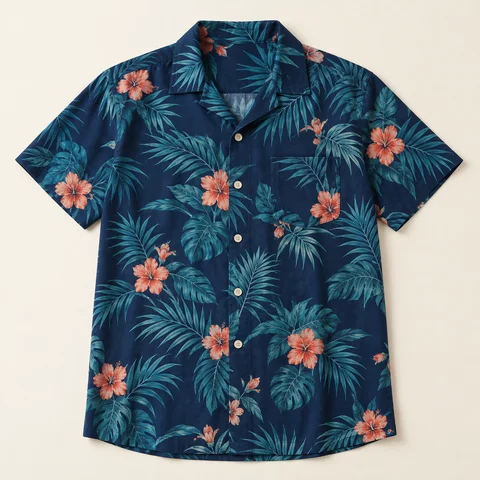
From camera roll to catalog.
For your next clothing drop, jewelry collection, or one-of-a-kind find.
Upload your photos
Upload 1–5 photos of the same product, from your phone or computer. Add any facts or instructions you want included.
Generate your listing
Generate your title, description and tags. Enhance your product photos with better lighting, framing and backgrounds.
Publish to Shopify
Add your price, inventory and any variants. Save a draft or choose your sales channels and publish when you’re ready.
Less repetition with every product.
Reuse your instructions
Save product details, tone, or formatting instructions as a listing preset. Apply them again without retyping.
Write in your store’s language
Create listing content in English, German, French, Spanish, Dutch, or Portuguese.
Create from your phone or desktop
List new arrivals wherever you work. Upload photos, enhance them, and manage product details inside Shopify.
Less listing work. A plan that fits.
Every plan includes listing creation, variants, listing presets and six output languages. Start free, then upgrade for larger monthly allowances.
Free
- 3 products / month
- 5 AI photo enhancements total
- Variants and listing presets
- Publish directly to Shopify
Basic
- 50 image uploads / month
- 10 AI photo enhancements / month
- Email support
- 7-day free trial
Professional
For growing catalogs- 300 image uploads / month
- 50 AI photo enhancements / month
- Priority support
Ultimate
- 1,000 image uploads / month
- 150 AI photo enhancements / month
- Priority support
Prices in USD. Image uploads and AI photo enhancements have separate allowances. A listing can use up to five images.
Start with the product photos you already have
Start a 7-day free trial on Basic, or create one product free without a subscription. Choose Free for 3 more products per month. The welcome offer and Free plan share five photo enhancements total. Shopify confirms trial eligibility and billing before you approve.
Questions merchants usually ask first
Can I try it before choosing a plan?
Yes. Create your first Shopify product free without choosing a plan. The Free plan includes 3 more products per month and shares the same five lifetime welcome photo enhancements. Or start a 7-day free trial on Basic. Shopify confirms trial eligibility and billing before you approve.
What can AI photo enhancement do?
Improve lighting, framing and backgrounds to give everyday product photos a professional look. Choose a Studio or clean background style, compare the result with your original, and choose which to use. Check that important product details remain accurate before publishing.
How does Synctually work?
Upload 1–5 photos of one product. Generate a title, description and tags, enhance your photos, add product details and variants, then save a draft or publish to Shopify.
Does Synctually publish automatically?
No. It creates an editable listing first. You can review title, description, price, inventory, channels, and other product details before publishing.
Can Synctually create many products in one bulk action?
Not currently. Synctually creates one editable product listing from one product's photo set at a time. Merchants with a backlog can repeat the same review-first workflow, but it is not a multi-product bulk creator.
Do I need a CSV file?
No. Synctually is built for photo-first workflows, so you can start from product images instead of building a CSV first.
What still needs manual review?
Merchants should still review business-critical fields such as price, inventory, variants, channels, SKU rules, and final wording before publishing.
More ways to simplify listing
How to add new arrivals to Shopify faster
A repeatable weekly workflow for boutiques, resale stores, and other catalogs with frequent product turnover.
How to create Shopify listings from product images
A step-by-step workflow for moving one product from photos to a reviewed Shopify listing.
Can Shopify create listings directly from product images?
The direct answer on what Shopify handles natively and where a photo-to-listing workflow fits.
Get your products ready to sell, faster.
Better product photos. Ready-to-review listings. Built for Shopify merchants adding clothing, jewelry and other physical products.
Start your 7-day free trial